Install CarrierSpot in
3 minutes
Follow this simple visual guide to load the extension into your Chrome browser. No technical experience required.
Download the Extension
First, download the official CarrierSpot PRO extension package to your computer. Click the button below to get the secure .zip file.
Verified secure package
Extract the ZIP File
Locate the downloaded file in your Downloads folder. Right-click it and select 'Extract All...'. Choose a safe location (like your Documents folder) where you won't accidentally delete it.
CarrierSpot_Release
File folder • Ready to load
Open Chrome Extensions
Click the button below to copy the required URL, then paste it into a new Chrome tab and hit Enter.
Chrome Extension Page URL:
For security reasons, Chrome doesn't allow clicking this link directly. You must copy and paste it.
Enable Developer Mode
In the top-right corner of the Extensions page, you will see a toggle switch labeled 'Developer mode'. Click it to turn it ON.
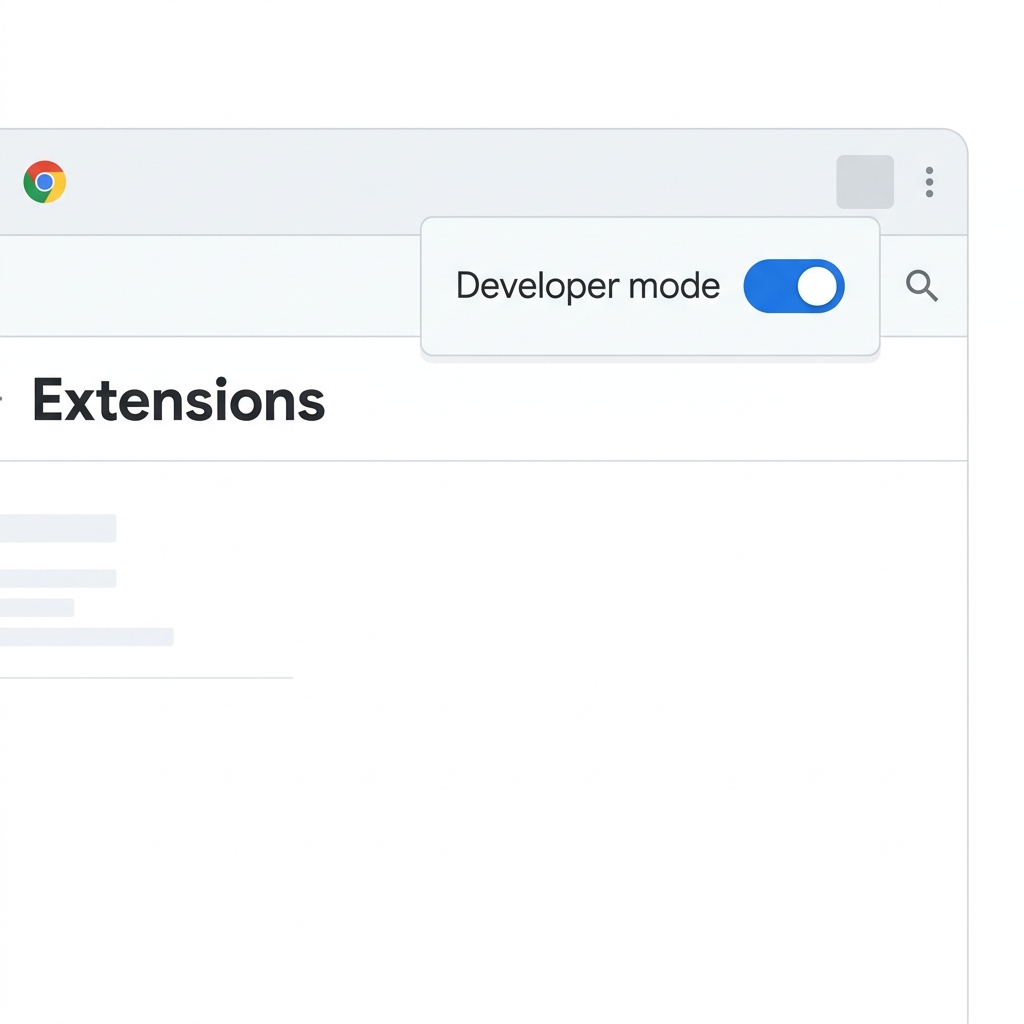
This reveals the hidden developer buttons you need.
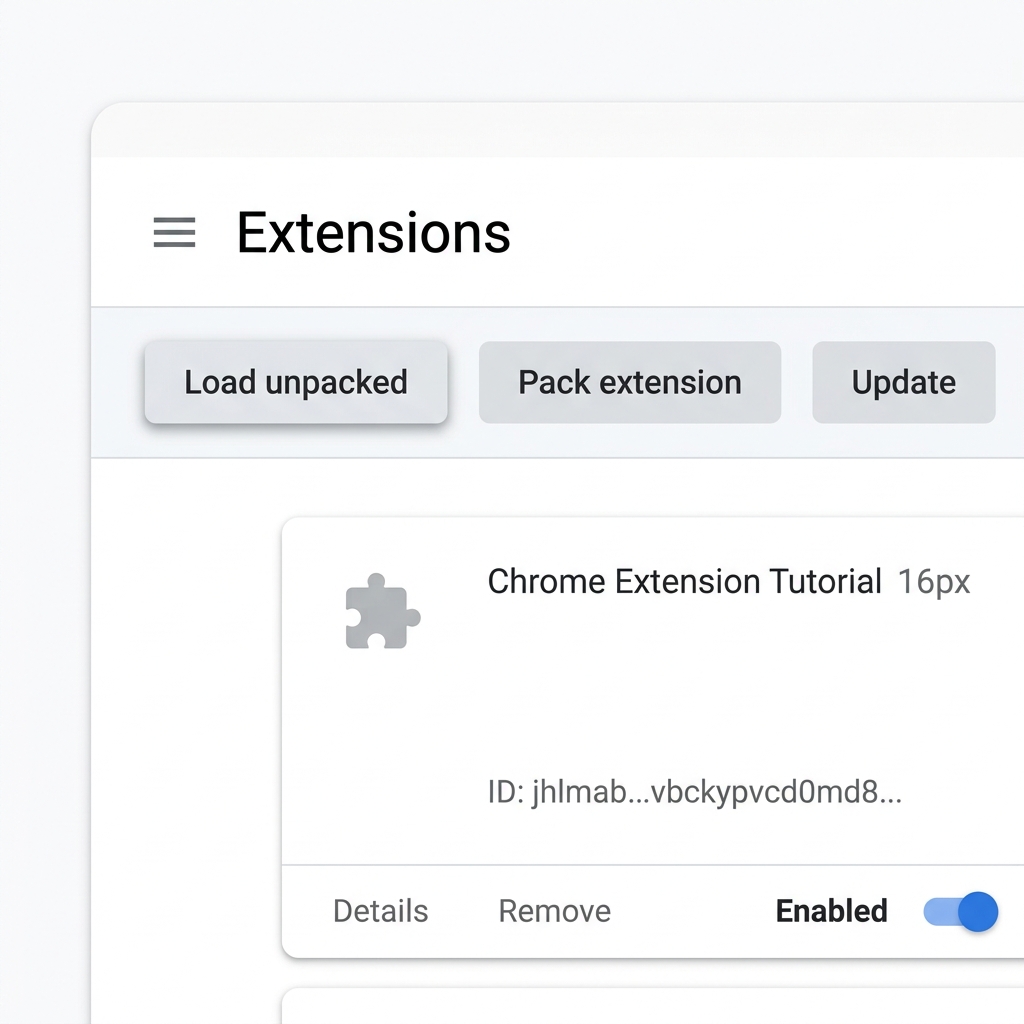
Click 'Load Unpacked'
Three new buttons will appear at the top left of the page. Click 'Load unpacked' and select the unzipped 'CarrierSpot_Release' folder from Step 2.

CarrierSpot PRO ON
Automate your outreach and supercharge sales.
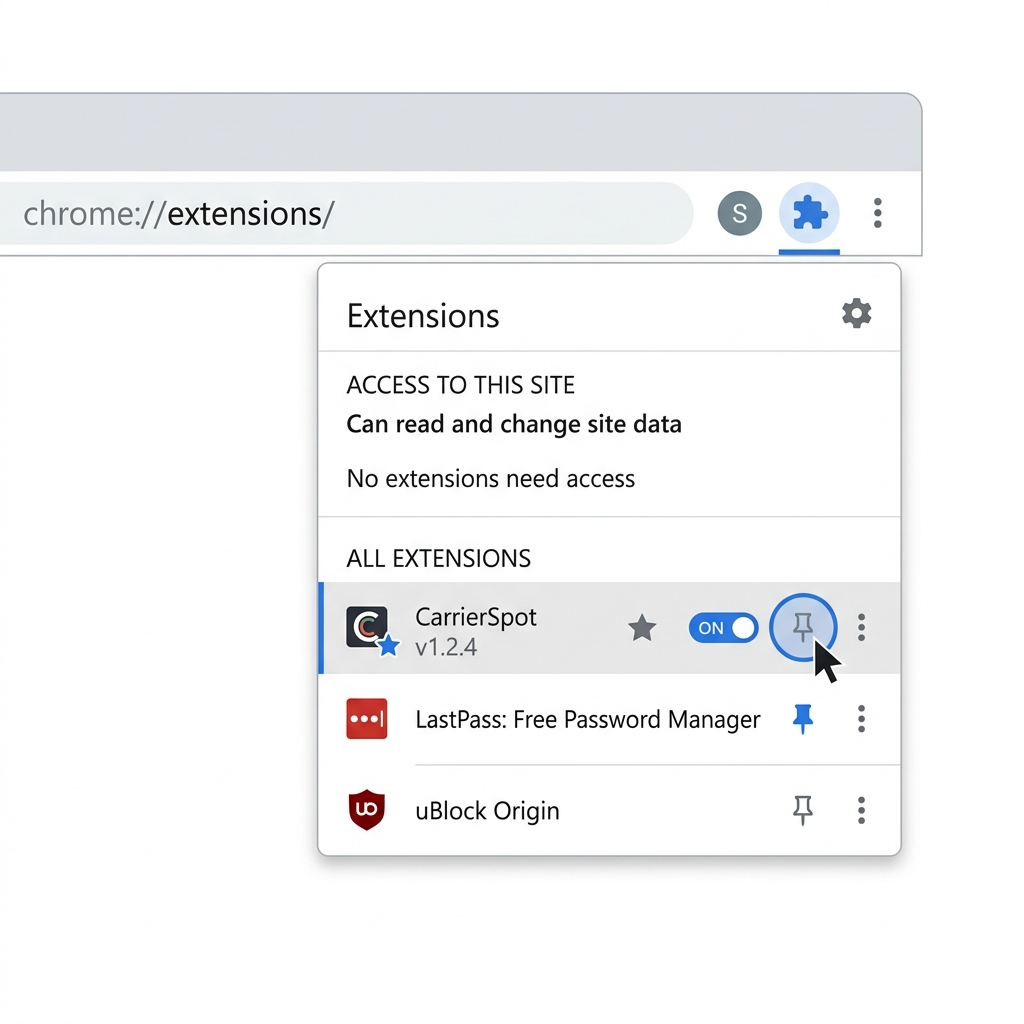
Pin to Toolbar
Finally, click the puzzle piece icon (🧩) in the top right of your Chrome browser, find CarrierSpot, and click the Pin icon. You're ready to go!
 CarrierSpot PRO
Installation Complete?
You're now ready to start verifying carriers and automating your outreach directly from Google Chrome.
Open Dashboard